Check your catalog
During supported capture, see whether the item may already be in the selected collection before saving another record.
Collection tracker app
Keep the items you own, the details that matter, and the records that belong with them in one private collection tracker. Add things your way, organize each collection to fit what is in it, and find them again when you need them.
Existing-item awareness
Catalist can surface a potential match from the selected collection during supported capture. Compare what you saved before deciding whether it is the same thing, a different version, or another copy you want to keep.
During supported capture, see whether the item may already be in the selected collection before saving another record.
Use identifiers, edition or release information, photos, notes, and other saved details to understand what you already own.
Catalist can surface a potential match. You decide whether it is the same item, a different version, or another copy you want to keep.
Useful item records
Keep the details that help you recognize the item, understand what you own, and use the record later.
Add multiple photos and choose the image that best represents the item.
Keep private PDFs or JPEG, PNG, and WebP images such as receipts, manuals, screenshots, and warranty documents with the item they describe.
Record condition, acquisition details, purchase information, seller or source, and where the item is kept.
Save a value with its currency, date, and basis so the number still has context later.
Keep model numbers, serial numbers, catalog numbers, and other identifying information where they apply.
Save private notes and labeled links to references, product pages, support information, or anything else worth keeping.
Add your own labeled details when the information you care about does not fit the standard item fields.
Made for physical collections
Use Catalist for books, music, movies, games, cameras, watches, memorabilia, tools, household items, hobby supplies, and collections that do not fit neatly into a specialist app.
Books, vinyl, CDs, cassettes, movies, special editions, box sets, and the physical media you want to keep track of.
Board games, LEGO sets, puzzles, action figures, model kits, die-cast cars, dolls, plush, and other collections built for shelves and display cases.
Cameras, lenses, watches, keyboards, computers, handhelds, consoles, phones, vintage electronics, and other technology collections.
Artwork, posters, autographs, sports memorabilia, coins, stamps, pins, jewelry, antiques, and personal valuables.
Musical instruments, plants, rocks, shells, pens, maps, vintage objects, hobby supplies, or whatever else became a collection because you kept finding another one.
Flexible organization
A book collection does not need to be organized like a camera collection or a shelf of memorabilia. Create, rename, reorder, and filter with categories that fit each collection instead of forcing everything into the same structure.
Flexible capture
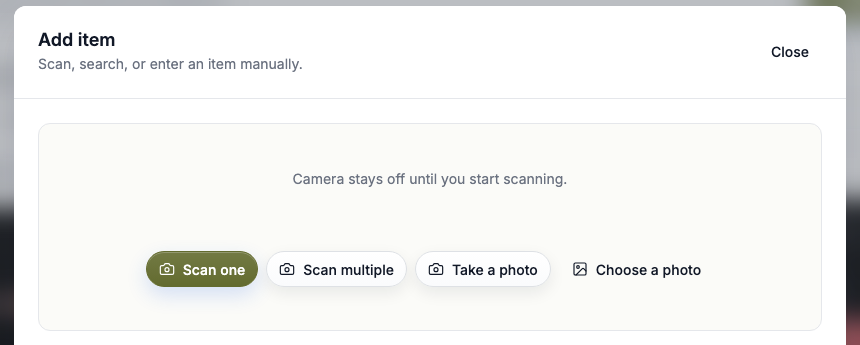
Scan, start with a photo, search supported sources, paste a supported link, use an identifier, or add the item manually. A database match can help, but it is never required to keep the item.
Use supported barcodes and identifiers for one item or work through several in the same capture session.
Take or choose a photo when the object itself is the best place to begin.
Look up supported items by what you know or paste a supported source link when you already have one.
Catalog the item yourself when lookup is unavailable, incomplete, or simply not useful.
Cross-collection organization
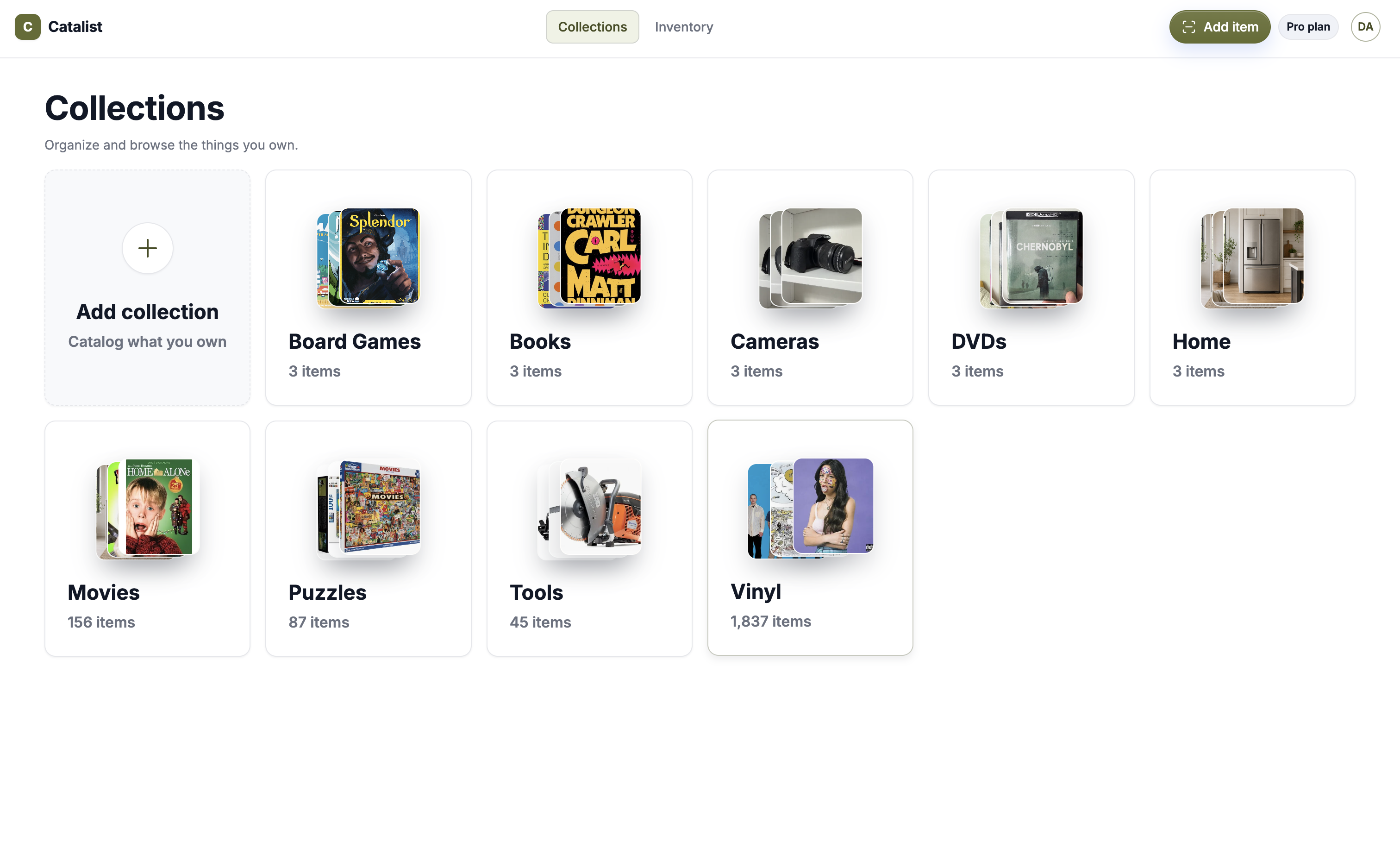
Add an existing item to another collection without recreating its record. When your organization changes, select items together to update categories, move them, or add them elsewhere without editing every record one by one.
Search and retrieval
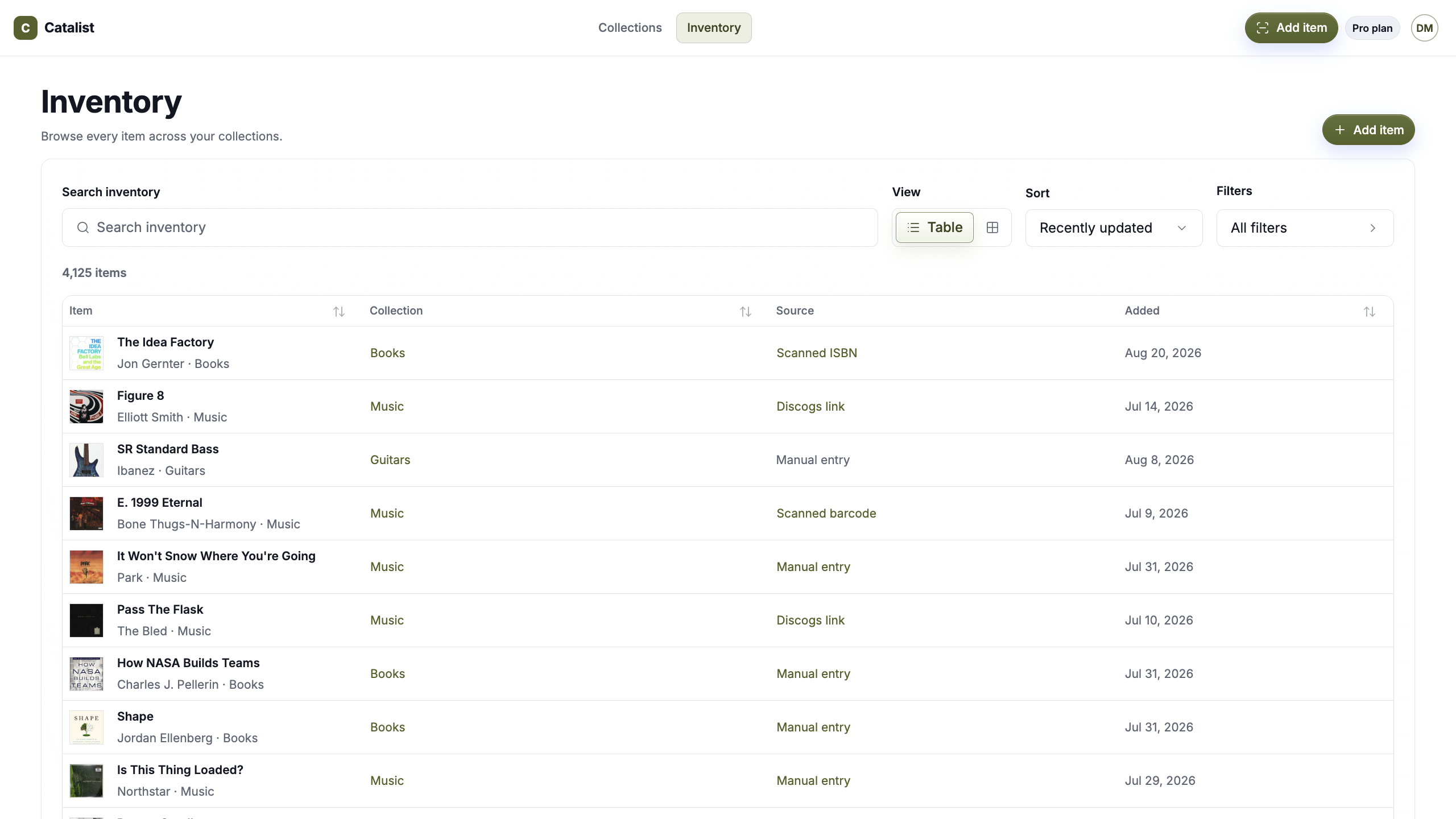
Search within a collection or use Inventory for a broader view. Filter by collection or category, sort your items, browse what you added recently, and open the full record when you need the details behind it.
Your catalog stays private by default—not a public profile, marketplace listing, or social feed.
Simple pricing
Catalist Free includes up to 2 collections and 75 items. Pro removes the collection and item limits.
Catalist Free
Use the complete cataloging experience for up to 75 items across 2 collections.
Catalist Pro Monthly
Catalog unlimited items across unlimited collections.
Catalist Pro Annual
Get the same unlimited Pro plan and save with annual billing.
Questions, answered
What to know about using Catalist as a collection tracker app.
A collection tracker app gives you a searchable record of the things you collect and the information you want to keep with them. Catalist combines item records, photos, supported attachments, categories, ownership details, values, notes, links, and flexible organization in one private app.
Catalist can be used for books, music, movies, games, collectibles, cameras, watches, tools, household items, hobby supplies, and custom collections you create yourself.
You can scan supported items, scan multiple items, start with a photo, search supported sources, use supported links or identifiers, or enter the item manually.
Add it manually. Lookup can make cataloging faster, but an item does not need to exist in a supported database before you can keep it in Catalist.
During supported capture, Catalist can surface potential matches from items already in the selected collection. Compare the details and decide whether it is the same item, another version, or an additional copy.
Yes. You can attach private PDFs or JPEG, PNG, and WebP images—up to 10 attachments per item and 10 MB each. Catalist stores them with the item but does not extract or interpret their contents.
Yes. In addition to Catalist’s built-in item and ownership details, you can add your own labeled details for information that matters to your collection.
Yes. An item can be added to another collection without recreating its item record.
Yes. You can record a value along with its currency, date, and value basis for your own reference. Catalist does not automatically appraise every item or provide universal live market pricing.
No. Catalist is private by default.
Catalog what you own, keep the details and attachments that belong with it, and make the record easy to find when you need it.
Private by default · One catalog · Everything you own